EasyDNN News 14.5 – AI SEO manager & Link Manager
EasyDNN News keeps evolving as one of the leading platforms for news and article publishing. EasyDNN News 14.5 introduces a useful new AI integration that improves your articles’ SEO in a much more practical way than before—while giving you far more control. We also continue to enhance the new Article Editor introduced in version 14. It has already received many improvements, and this release brings even more updates.
Important: Coupon code at the bottom of the article.
If you missed it, in version 14.4 we added a simple way to embed social media posts into articles—so even non-technical staff can use it easily. It’s a very useful feature that boosts the reach and engagement of your articles, and at the same time helps increase the reach of your social media channels.
As we always like to mention, EasyDNN News is built around a few core principles: what we develop should help EasyDNN News users get more traffic and stronger reader engagement, while keeping the process of editing and publishing rich articles—full of images, videos, documents, links, and Google Maps—extremely simple. Simple enough that non-technical staff can use it with ease.
And finally, we do our best to make sure that when publishing articles and news is a key factor in choosing a CMS platform, EasyDNN News makes DNN a logical choice.
WHAT’S NEW IN EASYDNN NEWS 14.5
- New AI SEO Manager that generates Title tags and Meta descriptions, with an included Google preview
- New Link Manager in the HTML editor for easy link insertion into text (URLs, links to files on the server, and uploading files from your computer to the server)
- Many smaller improvements and optimizations
AI SEO MANAGER
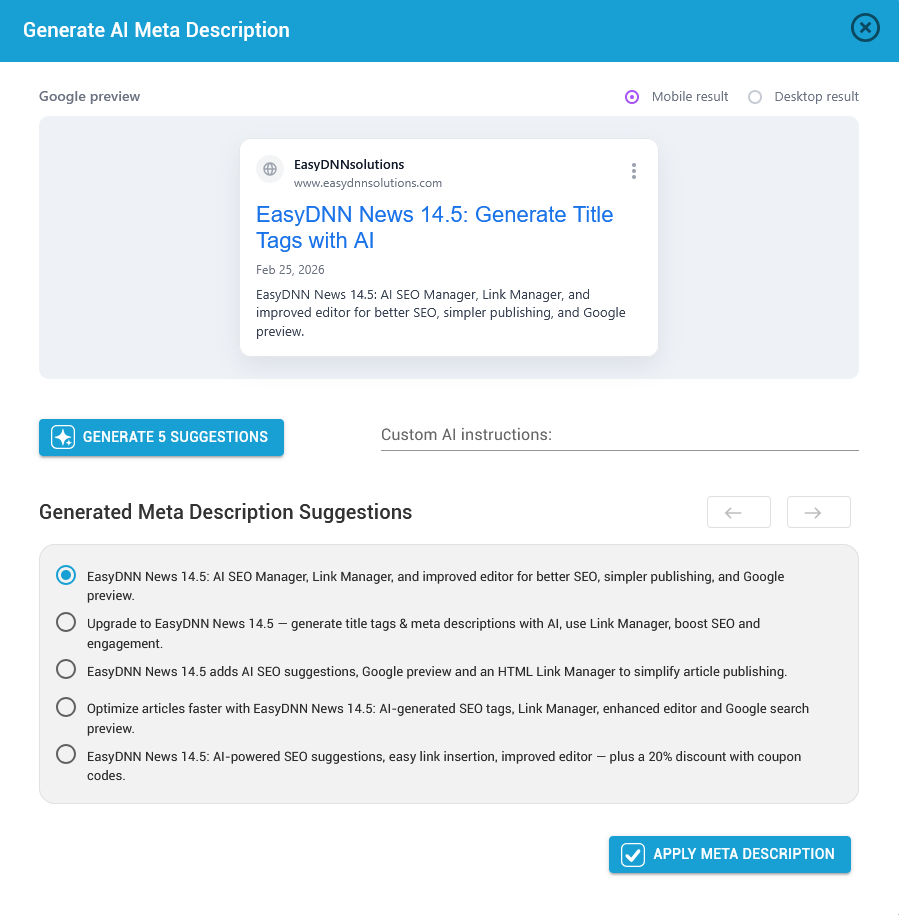
AI SEO Manager is a new tool that helps you optimize your content for SEO. A key part of SEO is adding a Title tag and a Meta description. You can enter these manually, but for editors who aren’t familiar with SEO, it can be quite challenging. In many cases, these fields remain empty, which can negatively affect SEO.
With the AI SEO Manager, you can now generate five suggestions for both the Title tag and the Meta description, and then choose the option that fits you best. You can also fine-tune the selected results.
There’s also a Google preview so you can see how your article will appear in search results.
To use the AI SEO Manager, you need to add your OpenAI API key in the module settings. Other AI features in the module include generating articles directly within the module interface and translating content into foreign languages.
Check out the video.
LINK MANAGER IN THE HTML EDITOR
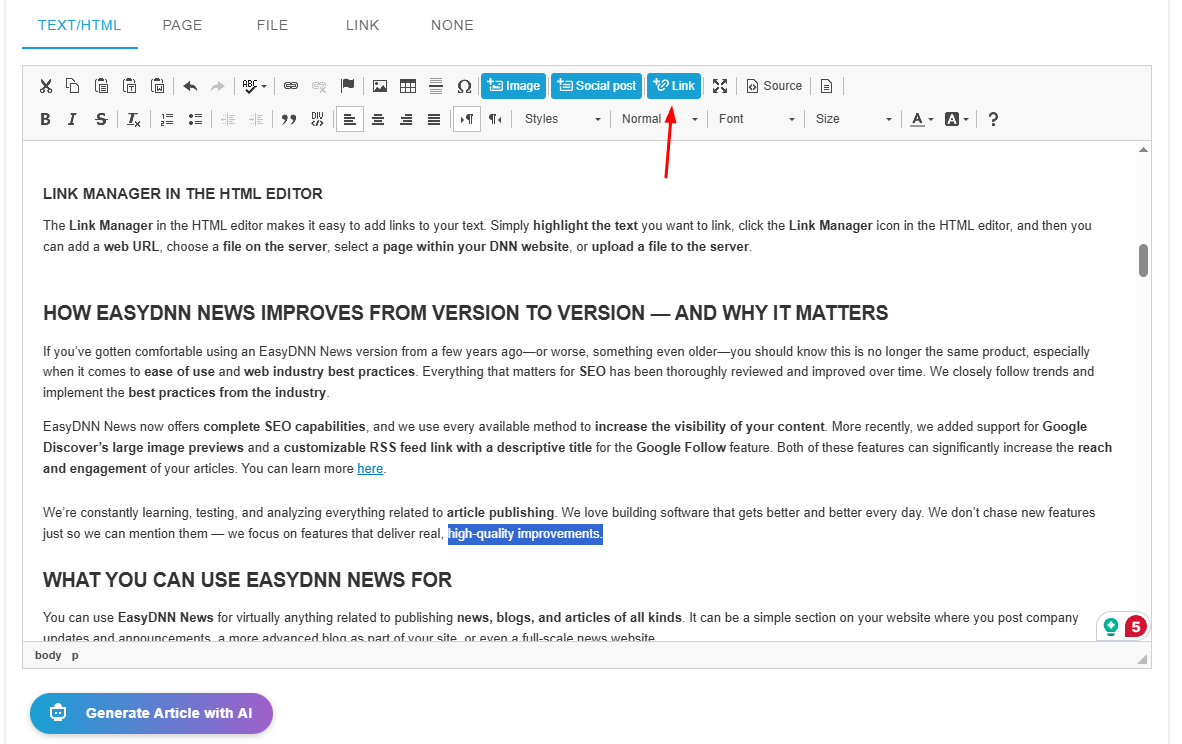
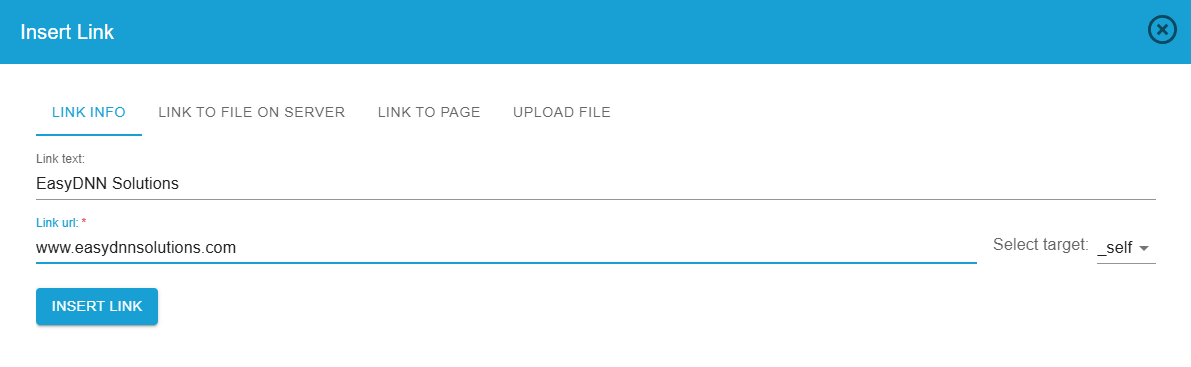
The Link Manager in the HTML editor makes it easy to add links to your text. Simply highlight the text you want to link, click the Link Manager icon in the HTML editor, and then you can add a web URL, choose a file on the server, select a page within your DNN website, or upload a file to the server.
Click the Link button in the HTML editor.
Insert a link.
HOW EASYDNN NEWS IMPROVES FROM VERSION TO VERSION — AND WHY IT MATTERS
If you’ve gotten comfortable using an EasyDNN News version from a few years ago—or worse, something even older—you should know this is no longer the same product, especially when it comes to ease of use and web industry best practices. Everything that matters for SEO has been thoroughly reviewed and improved over time. We closely follow trends and implement the best practices from the industry.
EasyDNN News now offers complete SEO capabilities, and we use every available method to increase the visibility of your content. More recently, we added support for Google Discover’s large image previews and a customizable RSS feed link with a descriptive title for the Google Follow feature. Both of these features can significantly increase the reach and engagement of your articles. You can learn more here.
We’re constantly learning, testing, and analyzing everything related to article publishing. We love building software that gets better and better every day. We don’t chase new features just so we can mention them — we focus on features that deliver real, high-quality improvements.
WHAT YOU CAN USE EASYDNN NEWS FOR
You can use EasyDNN News for virtually anything related to publishing news, blogs, and articles of all kinds. It can be a simple section on your website where you post company updates and announcements, a more advanced blog as part of your site, or even a full-scale news website.
Recipe and food websites
EasyDNN News includes everything you need to launch a successful recipe website. The best part? Your recipe site can be ready in just 15 minutes. You can learn more in this article here.
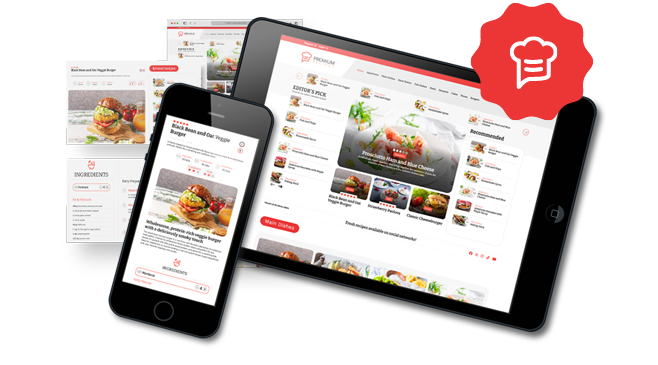
Here’s an example in action — Tasty Empire.
Product catalogs, real estate, classifieds…
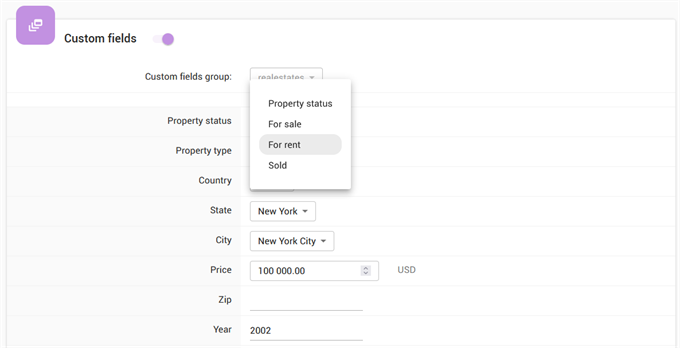
With EasyDNN News, you can create custom fields—extra fields you fill in when publishing a post. This lets you use EasyDNN News in many scenarios where you need structured content.
For example, EasyDNN News can be an excellent CMS engine for a real estate website. Advanced search and filtering allow visitors to find properties that match their exact criteria.
Events and event management
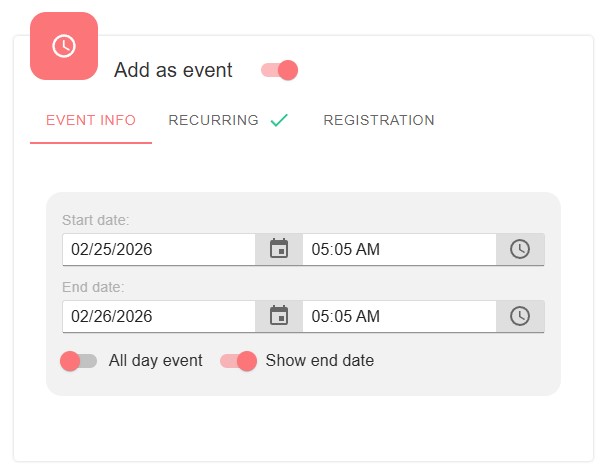
EasyDNN News gives you everything you need to publish and manage events on your website. When creating an article, you can publish it as an event. Unlike a standard article, an event includes a start date and time, end date and time, and a location.
The location is added using the built-in Google Map editor, and the map is displayed on the article/event details page.
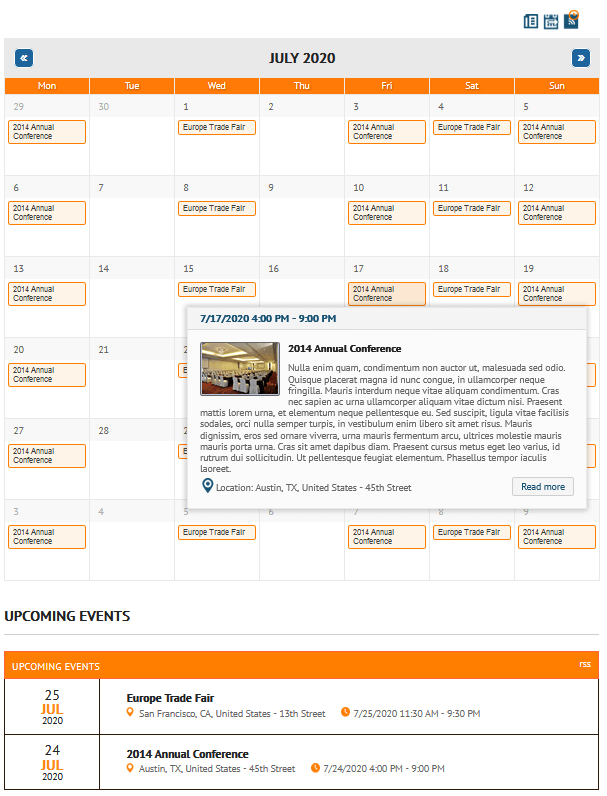
You can also enable event registration for both guest and registered users, set the number of available seats, accept payments for reservations, and use an advanced invitation and notification system to keep attendees well informed. Events can be displayed not only as articles, but also in a calendar view. Learn more about events in EasyDNN News here.
INTEGRATION WITH OUR OTHER MODULES — THE REAL POWER OF EASYDNN NEWS
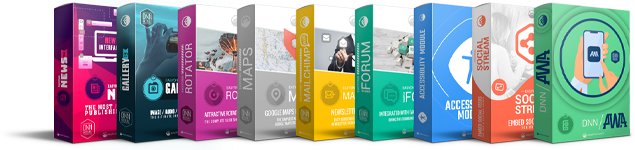
Alongside EasyDNN News, we’ve built a full collection of popular DNN modules and themes. Each module can be used on its own, but when combined with EasyDNN News, they unlock its true “superpower”.
Below is a quick overview of what our other modules bring when used together with EasyDNN News.
EasyDNN Gallery
The most important integration for EasyDNN News—and the one most commonly used alongside it. When EasyDNN Gallery is installed on a site with EasyDNN News, it adds:
- Advanced gallery display inside articles
- Multiple image display layouts to choose from
- Gallery position control
- Ability to insert a gallery inside the article text at a specific location
- Advanced image management inside the Article Manager
- Set the main article image from existing galleries
- Reuse galleries from existing articles
- Use shared galleries across multiple articles
EasyDNN Rotator
Automatically pulls articles published in EasyDNN News and displays them in one of many slider layouts. Perfect for highlighting your latest or most important content.
EasyDNN MailChimp
Enables fully automated—or manual—sending of newly published articles to your subscribers. You can set delivery intervals such as daily, weekly, or monthly.
EasyDNN Maps
Lets you create interactive maps linked to module categories. Great for tourism websites where you want to display different points of interest (POI) on a map.
EasyDNN PWA
Enables push notifications.
EasyDNN Simple Forum
EasyDNN News includes built-in comments that can be turned on or off. But integrating with EasyDNN Simple Forum takes it to a new level: you can move article discussions to the forum. When you publish an article, a matching forum topic is created automatically, and the link from the article takes readers directly to the discussion thread.
HOW TO GET EASYDNN NEWS
You can purchase the EasyDNN News module on the DNN Store. However, our warm recommendation is to get the EasyDNN Theme & Module Collection, because it gives you a large set of modules and themes at a great price.
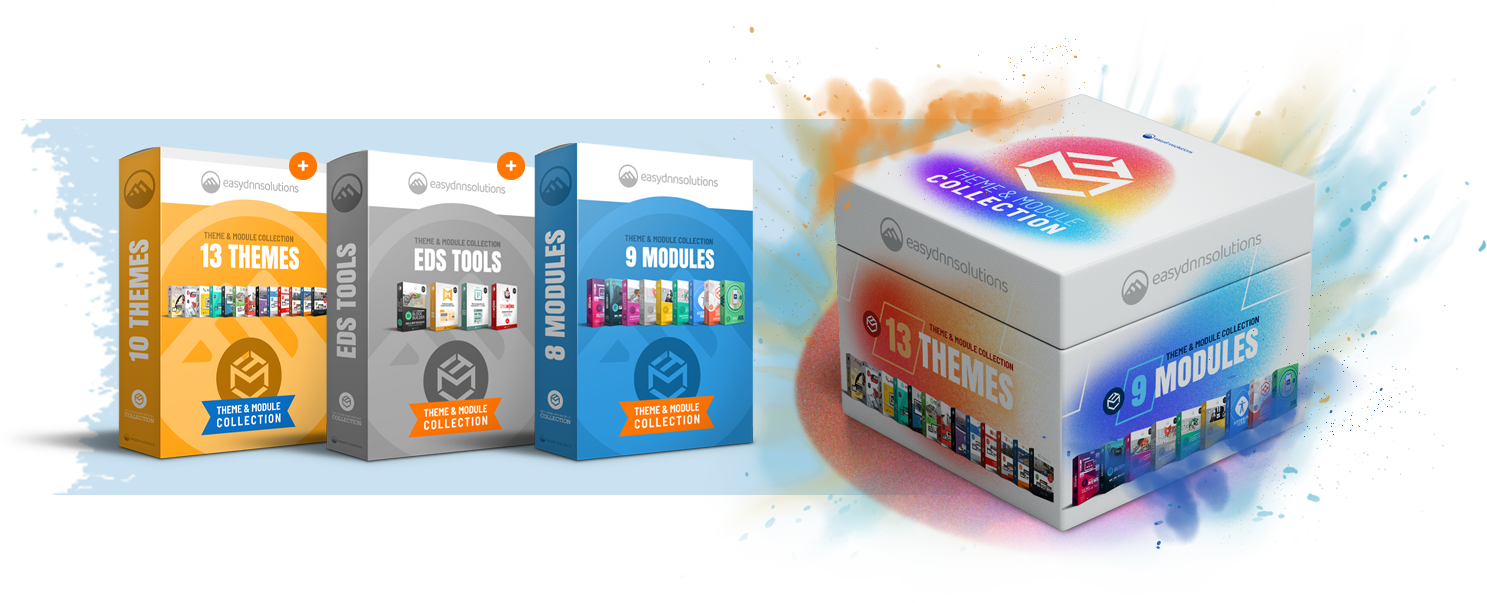
The collection includes EasyDNN News plus 8 additional DNN modules. It also comes with 13 DNN themes you can use to build all kinds of websites—from corporate and government sites to full news portals. The collection also includes BlockBuilder and StyleWizard, tools that make it easier to build websites and fine-tune the design.
There are also portal templates that let you create a fully functional copy of our demo sites in about 10 minutes.
All products in the collection come with an Enterprise license, which means you can use them to build multiple websites.