EasyDNN Cookie Consent 1.0 – A Better Way to Manage Cookie Consent on DNN Websites
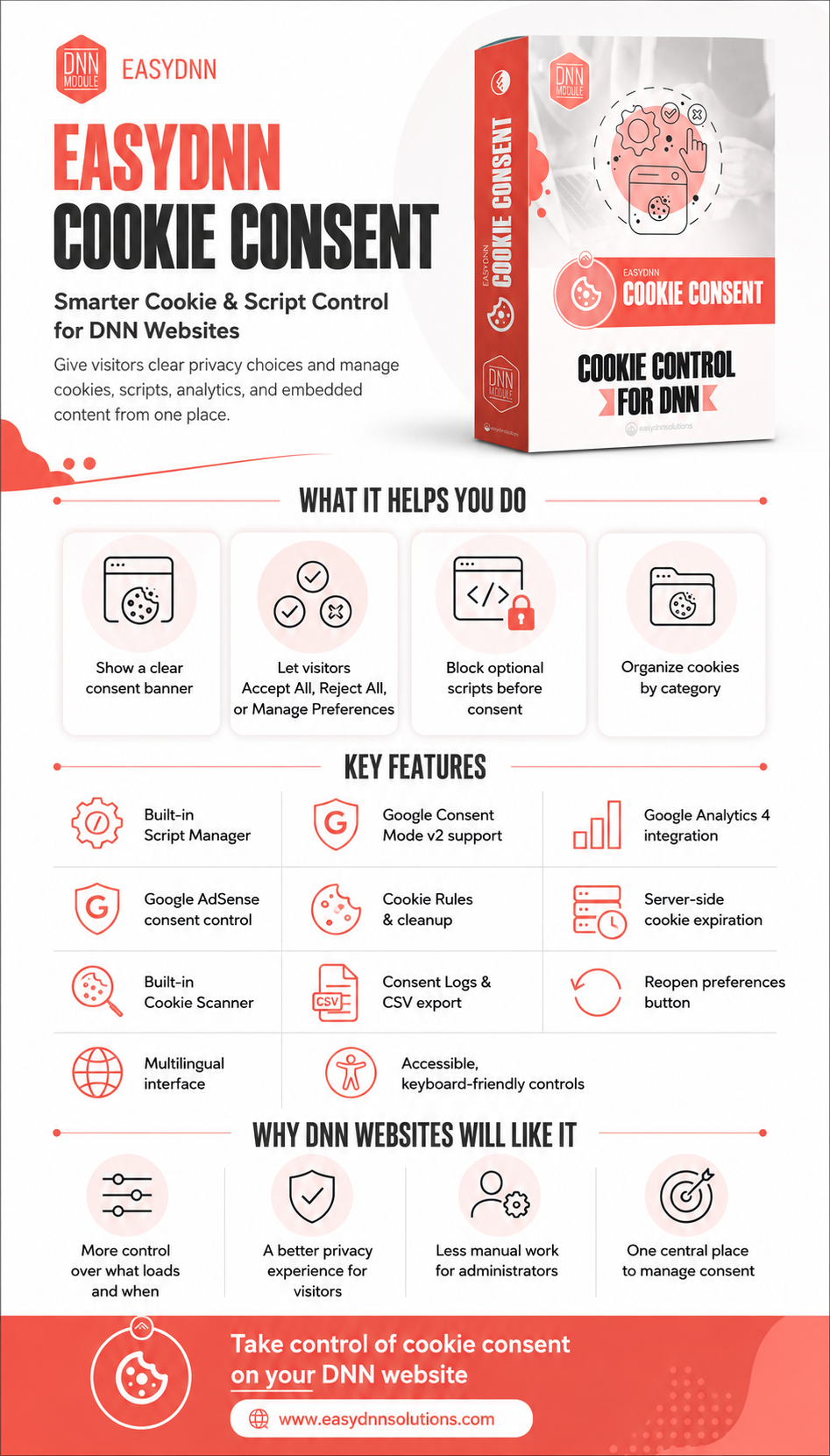
We are pleased to announce the release of EasyDNN Cookie Consent 1.0, a new DNN module that helps website owners and administrators manage cookies, scripts, tracking tools, analytics, advertising, embedded content, and visitor consent directly from their DNN website.
Cookie consent is no longer just about showing a simple message that cookies are used. Modern websites often include Google Analytics, marketing pixels, advertising scripts, embedded videos, third-party widgets, and many other tools that may create cookies or collect data. Because of that, website owners need more control over what loads on the website and when it loads.
EasyDNN Cookie Consent helps solve this problem by giving DNN websites a practical and user-friendly consent management workflow.
Instead of only displaying a basic cookie notice, the module allows visitors to accept all cookies, reject optional cookies, or manage their preferences by category. At the same time, website administrators get better control over optional scripts and cookies before and after consent is given.
Note: The coupon code is available at the bottom of the article.
A Better Consent Workflow for DNN
EasyDNN Cookie Consent helps DNN website owners move from a simple cookie message to a more complete consent management workflow.
With this module, you can:
- Show a clear and visitor-friendly cookie banner
- Offer Accept All, Reject All, and Manage Preferences options
- Organize cookies and scripts into categories
- Block optional scripts before consent
- Manage scripts from one central place
- Control Google Analytics 4 loading
- Support Google Consent Mode v2
- Manage Google AdSense consent
- Create Cookie Rules
- Clean up known first-party cookies
- Use server-side cookie expiration
- Scan pages for cookies
- Review and export consent logs
- Let visitors update preferences later
- Localize the consent interface
In short, EasyDNN Cookie Consent gives DNN websites a more practical, organized, and user-friendly way to manage cookies, scripts, and visitor consent.
More Than a Basic Cookie Banner
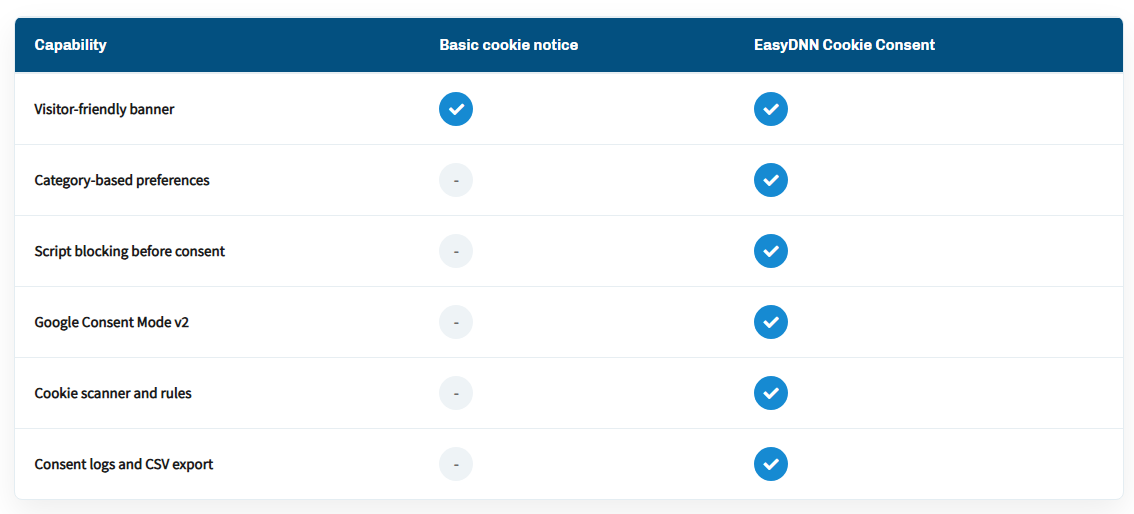
The default DNN cookie banner simply inform visitors that a website uses cookies. EasyDNN Cookie Consent goes further.
It helps you create a real consent experience where visitors can clearly choose what they want to allow. The banner includes the most important options:
- Accept All
- Reject All
- Manage Preferences
This gives visitors a simple and familiar way to make a quick decision or open detailed settings where they can choose individual cookie categories.
For website owners, this means a better balance between usability and control. Visitors are not overwhelmed, but they still have clear choices.
Manage Cookies and Scripts by Category
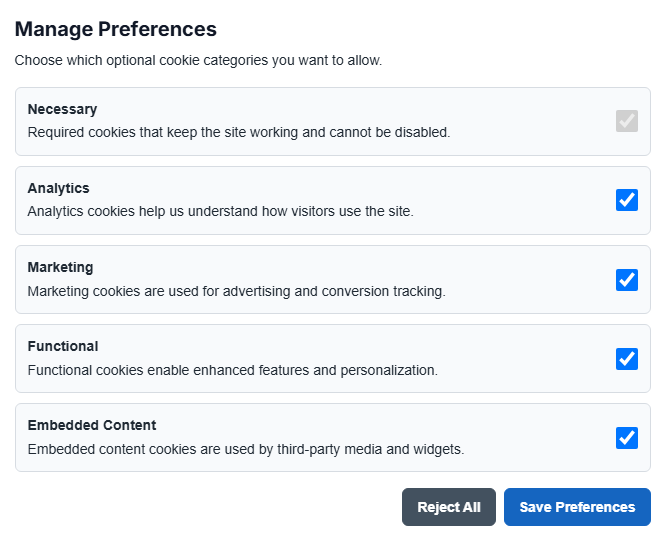
EasyDNN Cookie Consent allows you to organize cookies and scripts into clear categories.
For example, you can use categories such as:
- Necessary
- Analytics
- Marketing
- Functional
- Embedded Content
Necessary cookies remain enabled because they are required for the website to work properly. Optional categories can be accepted, rejected, or changed by the visitor.
This is especially useful for websites that use different services for statistics, marketing, advertising, videos, maps, social media widgets, or other third-party integrations.
Instead of managing everything manually in different templates, modules, or pages, EasyDNN Cookie Consent gives you one central place where you can define how optional scripts should behave.
Block Optional Scripts Before Consent
One of the most important features of EasyDNN Cookie Consent is the ability to block optional scripts before the visitor gives consent.
This is important because analytics scripts, advertising code, tracking pixels, and embedded content can create cookies or start tracking before the visitor has made a choice.
With EasyDNN Cookie Consent, you decide which scripts belong to which category. The module then activates them only when the visitor gives the correct consent.
For example, Google Analytics can be loaded only after the visitor accepts Analytics cookies. Marketing pixels or advertising scripts can be loaded only after Marketing consent is granted.
This gives DNN website owners a much cleaner and more controlled workflow.
Built-In Script Manager
Managing tracking scripts can quickly become complicated, especially on websites with many pages, templates, modules, or third-party services.
EasyDNN Cookie Consent includes a built-in Script Manager that allows you to add scripts directly in the module settings. You can choose the category, define where the script should load, and let the module handle activation based on visitor preferences.
This makes it easier to manage scripts such as:
- Google Analytics
- Marketing pixels
- Advertising scripts
- Tracking scripts
- Embedded content scripts
- Third-party widgets
For administrators, this can save a lot of time. Instead of searching through website templates and code every time a script needs to be added or changed, everything can be managed from one place.
Google Consent Mode v2 Support
Google Consent Mode is becoming an important part of how websites communicate visitor consent choices to Google services.
EasyDNN Cookie Consent includes support for Google Consent Mode v2, which allows consent signals to be updated when visitors accept, reject, or change their preferences.
This is especially useful for websites that use Google Analytics, Google Ads, or other Google services.
For many website owners, this is an important step toward a more modern consent setup, because the website can communicate consent choices more clearly to Google tools.
Google Analytics 4 Integration
If your DNN website uses Google Analytics 4, EasyDNN Cookie Consent can help you load GA4 only after the visitor accepts Analytics cookies.
You can enter your GA4 Measurement ID, choose where the script should load, and keep analytics under consent control.
This makes the setup simpler for administrators and helps avoid loading analytics before the visitor has given consent for that category.
If you already load GA4 through Google Tag Manager, do not also enable the direct GA4 integration in EasyDNN Cookie Consent. Use the module to manage consent signals, and configure your GTM tags to respect those consent signals.
Google AdSense Consent Control
Websites that use Google AdSense also need better control over advertising-related scripts and cookies.
EasyDNN Cookie Consent can help prevent common AdSense scripts and ad slots from loading before Marketing consent is granted.
This is useful for publishers, portals, blogs, news websites, and other DNN websites that display ads and want more control over when advertising scripts become active.
Cookie Rules and Cleanup
When a visitor rejects optional cookies or later changes their preferences, some cookies may need to be removed.
EasyDNN Cookie Consent includes Cookie Rules that can help clean up matching first-party cookies by exact name or prefix.
For example, you can create rules for common analytics or marketing cookies such as:
This helps administrators define how known cookies should be handled when consent is not granted or is changed later.
The module also includes server-side cookie expiration support for matching first-party cookies. This is useful because some cookies cannot be removed by JavaScript alone, especially HttpOnly cookies.
Built-In Cookie Scanner
Finding out which cookies are used on a website can take time, especially on larger DNN websites with multiple modules, templates, embeds, and tracking tools.
EasyDNN Cookie Consent includes a built-in Cookie Scanner that helps administrators detect cookies on the current page and review suggested Cookie Rules.
The scanner does not automatically change your settings. You remain in control and decide which rules should be saved.
This makes the process safer and more transparent, especially when setting up consent management on an existing website.
Consent Logs and CSV Export
EasyDNN Cookie Consent can keep a record of visitor consent actions.
Administrators can review recent consent activity, browse consent logs, export them as CSV, and manually clean up older records based on retention settings.
Consent logs are portal-specific and do not store raw IP addresses.
For website owners who need a better overview of consent activity, this provides a useful and practical record directly inside DNN.
Visitors Can Change Their Preferences Later
Consent should not be a one-time action that visitors cannot easily change.
EasyDNN Cookie Consent includes a reopen preferences button, allowing visitors to return to cookie settings and update their choices later.
This improves transparency and gives visitors more control over their privacy preferences.
Works with Multilingual DNN Websites
Many DNN websites are multilingual, and cookie consent should also be understandable to visitors in different languages.
EasyDNN Cookie Consent supports localization through DNN resource files. Public and admin text can be adapted for different languages and websites.
This makes the module suitable for DNN websites that need to provide consent information in more than one language.
Ready to Take Control of Cookie Consent on Your DNN Website?
EasyDNN Cookie Consent 1.0 gives DNN website owners and administrators a practical way to manage cookies, scripts, consent choices, and visitor preferences from one place.
Give your visitors clear choices.
Control optional scripts before they load.
Manage cookies and consent directly on your DNN website.
With EasyDNN Cookie Consent, cookie consent becomes easier to manage for administrators and clearer for website visitors.
How to get EasyDNN Cookie Consent?
Cokie Consent can now be purchased on the DNN Store as a standalone module. You can also download a trial version from our website. BlockBuilder is also included in our complete DNN theme and module collection — EasyDNN Theme & Module Collection.