BlockBuilder 6 – Now Ready for Every DNN Theme and Website
We are pleased to announce that BlockBuilder is now available as a standalone module. Until recently, BlockBuilder worked only with EasyDNN Themes, which is why offering it as a separate module did not make much sense. But that has now changed. BlockBuilder 6 works with all DNN themes and gives DNN users a smarter, safer, and more modern way to create and maintain website content using ready-made blocks, Smart Editing, WebP support, image tools, version history, permissions, reusable elements, and AI assistance.
Over the course of this year, BlockBuilder has received major upgrades and has become a powerful tool for creating and editing DNN pages. If you have not used it before, the simplest way to describe it is as an advanced alternative to the standard DNN HTML module — one that can significantly simplify and speed up your work.
What used to be complicated now becomes much easier. What used to take a lot of time can now be done much faster. And if you have users or clients who are not highly experienced in editing website content, BlockBuilder greatly reduces the risk of mistakes.
BlockBuilder gives users a visual workflow for creating and editing web pages. Instead of manually working with hard-to-maintain HTML, BlockBuilder allows you to use ready-made content blocks that you can simply drag and drop onto the page.
If you have already used BlockBuilder with one of our DNN themes, this functionality will be familiar to you. However, it now works with all DNN themes.
With the new BlockBuilder, you get 100+ ready-made blocks that you can add to your website. These are default Bootstrap-based blocks. Most DNN themes are based on Bootstrap, but even if your theme is not Bootstrap-based, these ready-made Bootstrap blocks will still be available for use.
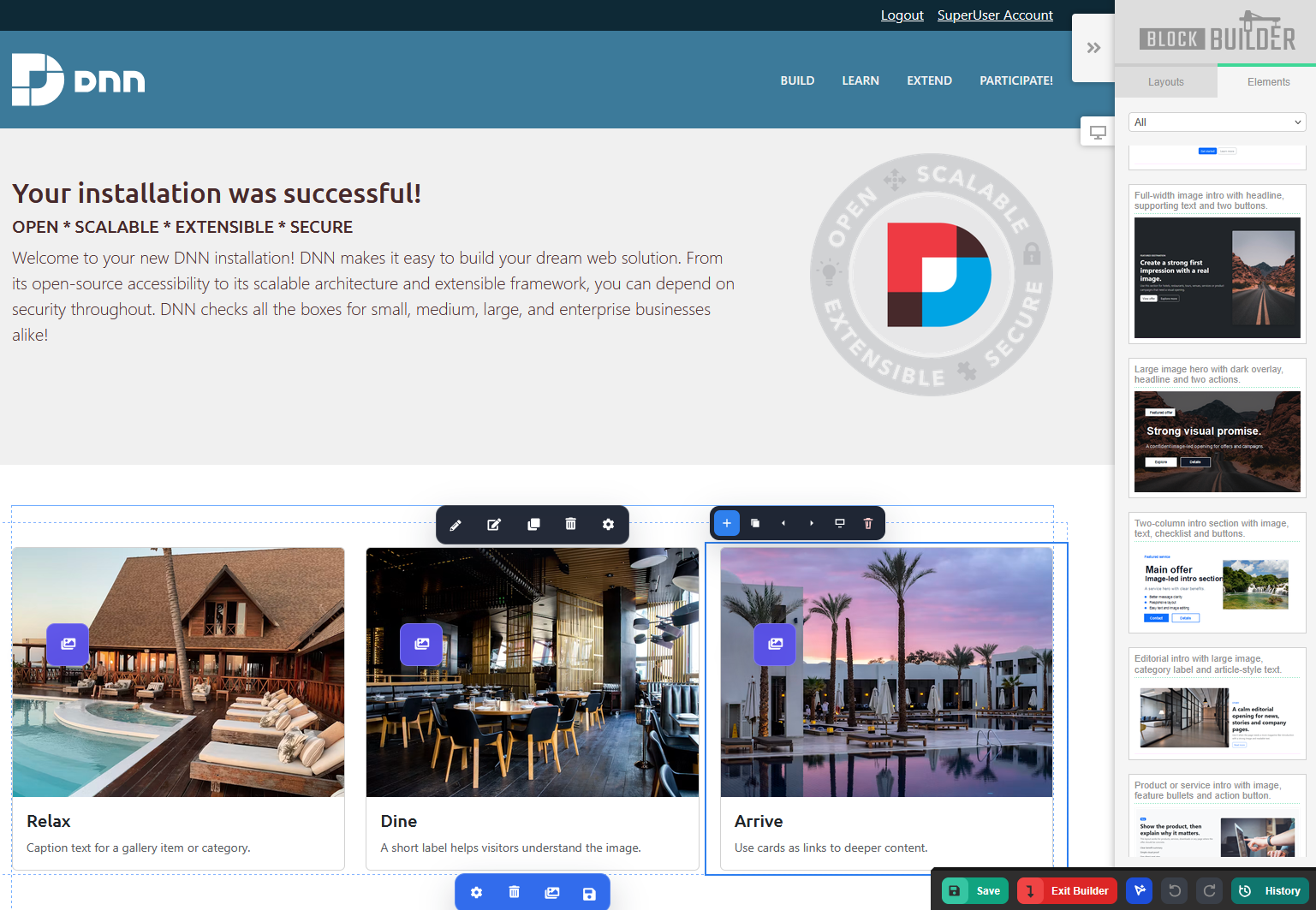
Default DNN 10 Aperture theme with BlockBuilder:
How and Why to Replace the Standard DNN HTML Module with BlockBuilder
Let’s say you have a DNN website where you currently use the standard DNN HTML module. The question is: why replace it with BlockBuilder?
BlockBuilder brings many advantages over the standard DNN HTML module:
- A ready-made block library for easier and faster content creation
- The ability to save custom blocks for future use
- Smart Editing for easily adding repeating elements and editing content
- Advanced image management, including adding images from the server, adding images from Pexels stock, generating images with AI, and renaming image filenames
- WebP file format support for better performance, including conversion of JPEG and PNG images to WebP
- Undo, Redo, and Version History for easier error correction
- AI assistance, including rewriting block content with AI, editing CSS with AI, translating content, and correcting grammar or spelling
In short, BlockBuilder allows you to improve the way you edit content in DNN.
By replacing the standard DNN HTML module with BlockBuilder, you get a visual, block-based workflow built for modern websites. It is a powerful tool that helps you create better content sections, edit them safely, improve them with AI, manage images more easily, and give your team a faster way to maintain DNN pages.
How to Replace the Standard DNN HTML Module with BlockBuilder
Replacing the standard DNN HTML module with BlockBuilder is actually a very simple process.
BlockBuilder allows you to easily import content from the DNN HTML module. Once the content is imported, you can immediately start using all the useful features that BlockBuilder provides.
This means you can keep your existing content while upgrading your editing experience with a more modern and flexible workflow.
Would you like to learn more about BlockBuilder? Visit the BlockBuilder product page.
How to Get BlockBuilder 6
Unlike previous versions, BlockBuilder can now be purchased on the DNN Store as a standalone module. You can also download a trial version from our website.
BlockBuilder is also included when you purchase our DNN theme collection — EasyDNN Theme Collection — or our complete DNN theme and module collection — EasyDNN Theme & Module Collection.